 ForwardMsg
How to Create a Telegram Bot
To start forwarding messages between Discord and Telegram using ForwardMsg, you need to create a Telegram Bot. This guide will walk you through the process step by step.
🔴 Watch a Video Tutorial 🎥
Creating a Telegram Bot
Step 1 - Start a Chat with BotFather
BotFather BotFather is Telegram’s official bot for creating and managing bots.
- Open Telegram and search for
@BotFather.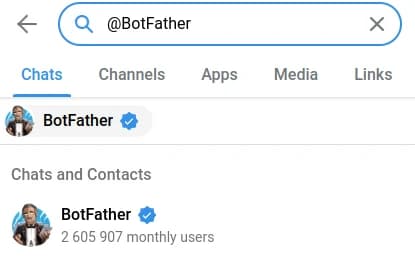
- Start a chat and type
/newbot.
Step 2 - Configure Your Bot
- BotFather will ask for a name for your bot.
- Choose a unique username ending with
bot(e.g.,MyAwesomeBot). - After completing the setup, BotFather will provide you with a bot token.
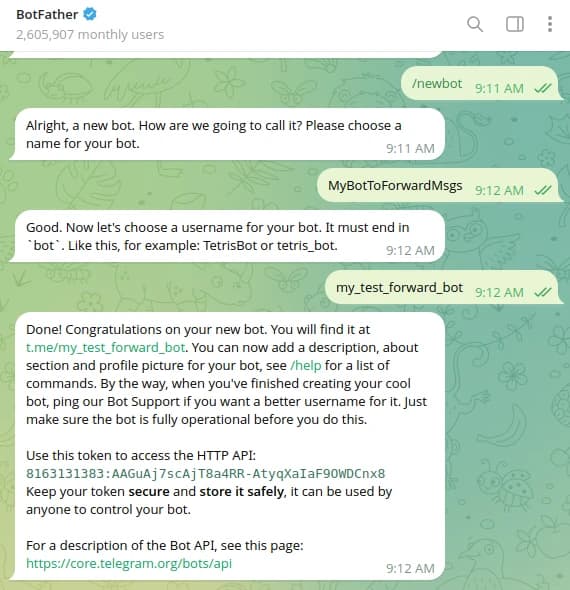
- Save this token securely, as it is required to authenticate your bot.
🎉 Congratulations!
You’ve successfully created your Telegram bot. Now you can seamlessly forward messages between Discord and Telegram using ForwardMsg
What is Next?
Need Help?
Contact us: @forwardmsg_support
Email us: support@forwardmsg.com